
Lock your face in ChatGPT edits and rescue one that already drifted
You wanted a new jacket, not a new person. ChatGPT keeps swapping the face because it never edits your photo pixel by pixel: it regenerates the whole image and reinterprets your features to match its own style. The fix is prompt control. Add an identity-lock line that names your face, eye shape, and jawline, change only one thing per prompt, and where possible edit a selected region so the face is never redrawn. If it has already gone wrong, re-upload the original as a reference and run a stricter prompt. Below is the exact wording for each case.
Why ChatGPT changes your face even on small edits
ChatGPT does not modify the photo you uploaded. It reads the image, then builds a brand new one from scratch. Image generation powered by models like GPT-4o reinterprets facial details to fit its generated style, so eye shape, jawline, or skin tone shift on the way out. That is the whole mechanism. No hidden setting toggles it off.
Because the model regenerates everything, the size of your request barely matters. Ask to change a jacket and the face still rides along through the same generation pass. PerfectCorp documents this directly: minor edits like outfit or background changes trigger ChatGPT to reimagine the face entirely. So a background-only edit is never really background-only. The person standing in front of that background gets redrawn too, which is why a clean studio swap can hand you a stranger wearing your clothes.
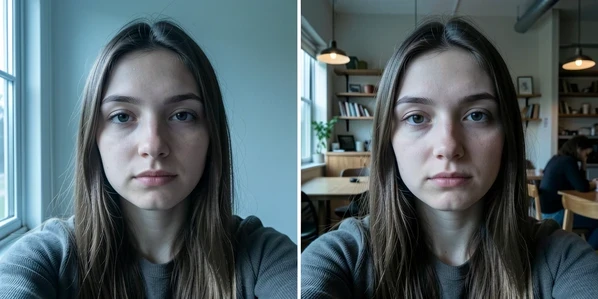
The fastest fix: paste-ready identity-lock prompts
Start every edit with a line that tells the model what must not move. The single most reliable wording, per PerfectCorp, is short and blunt:
Keep my original face intact while changing hair, background, or style.
Reinforcement in capitals helps the model weight it. Drop in Without changing my facial features AT ALL right after your edit description. Then get specific. Generative models respond to named landmarks better than to the abstract word face, so spell them out: eye shape, jawline, skin tone, freckles. The more concrete the anchor, the less room the model has to invent.
Match the lock line to what you are actually changing. One focused line per edit type:
- Outfit: "Change only the clothing to a black blazer. Keep my exact face, eye shape, jawline, and skin tone unchanged. Without changing my facial features AT ALL."
- Hair: "Restyle the hair to a short bob and keep everything below the hairline identical, same eyes, same jaw, same freckles."
- Background: "Replace the background with a plain grey studio wall. Do not regenerate or alter the person in any way."
Diagnose by which facial element keeps changing
A generic lock prompt is a blunt instrument. If the same feature drifts every attempt, name that feature directly instead of repeating "keep my face." Read the bad output, find what moved, then pin it.
| What keeps changing | What to add to the prompt |
|---|---|
| Eyes look wider, narrower, or closer together | Lock the eye shape and spacing explicitly: "preserve my exact eye shape and the distance between my eyes." |
| Jaw or cheekbones reshape | Instruct it to preserve facial landmarks and bone structure: "keep my jawline and bone structure exactly as in the original." |
| Skin turns plastic or the tone shifts | Ask for the real surface: "retain my original skin texture and skin tone, including pores and freckles." |
| The whole face reads as a different person | Use a full identity lock and re-attach the original photo as a reference image in the same message. |
The plastic-skin case is its own quiet failure. Face shape can be perfect while the surface looks airbrushed, because GPT-generated images tend toward over-smoothed skin. Naming texture pulls it back. If it still resists, that is a model limit, not a prompt you can rescue, and the last section covers what to switch to.
Prompt mistakes that wreck face preservation
Some of the damage is self-inflicted. Three prompt habits invite the model to reinterpret the whole image, face included.
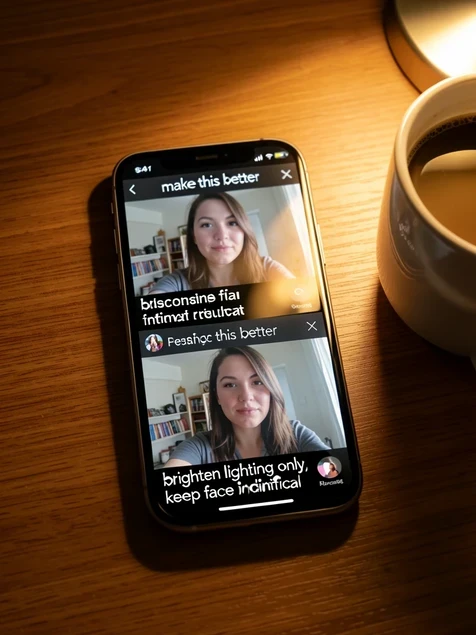
Vague requests are the worst offender. Make this photo better tells the model nothing about what to protect, so it rebuilds everything to its own taste, eWeek warns. Replace it with scoped wording that names exactly what changes and exactly what stays. Compare on the same selfie: "make this better" returns a glamour-shot stranger, while "brighten the lighting only, keep my face and expression identical" returns you.
Stacking edits compounds drift. Ask for a new outfit, new hair, and a new background in one breath and every pass through the model is another chance for the face to slip. eWeek's guidance is to split edits into separate focused prompts. Make one change, confirm the face survived, then make the next. And do not forget the frame: omitting aspect ratio lets ChatGPT reframe and crop, which forces a fresh generation that drags the face along. State the ratio you want, like 3:2, in the prompt.
Edit only the face region instead of regenerating
The cleanest way to protect a face is to never let the model touch it. In DALL·E 3 you can select an area of the image and describe the change so only that region is edited, a feature available to ChatGPT Plus users. Highlight the jacket, type the new color, and the masked face stays put.
The trick is your selection discipline. Select the background or the outfit. Never brush over the face. Because the edit is confined to the marked region, ChatGPT has no mandate to reimagine anything outside it, which sidesteps the full-regeneration problem at its root rather than fighting it with prompt wording.
The correct editing workflow that preserves identity
Order matters as much as wording. A clean run looks like this:
- Open a fresh conversation and upload the original image, so no earlier altered version pollutes the context.
- Write the change with the identity-lock line attached, naming the one element you are editing and the features that must hold.
- Wait for the generation, then study the face before doing anything else.
- If it slipped, refine iteratively with a stricter, more specific prompt rather than accepting the drift.
- Download only once the face matches.
That upload, describe, wait, refine, download loop is the workflow LightX documents, and the fresh-conversation habit is what most people skip. Editing on top of a bad output stacks error on error.
Recover a face that already changed
Already staring at a stranger? Do not try to repair the altered output. Editing the broken image only asks the model to reinterpret a face that is already wrong.
Go back to the source. Re-upload the original photo as the reference, then re-run with a stricter identity-lock prompt and a single isolated edit, the exact change you wanted the first time. If the result is close but the identity still is not quite yours, run that corrected output through a dedicated face swap afterward to restore your real face onto the good edit. One editor put it plainly in a community thread: writing a no-distortion instruction helps, but pushing the final image through a face swap is what actually nails the likeness.
When to switch to a face-preserving tool
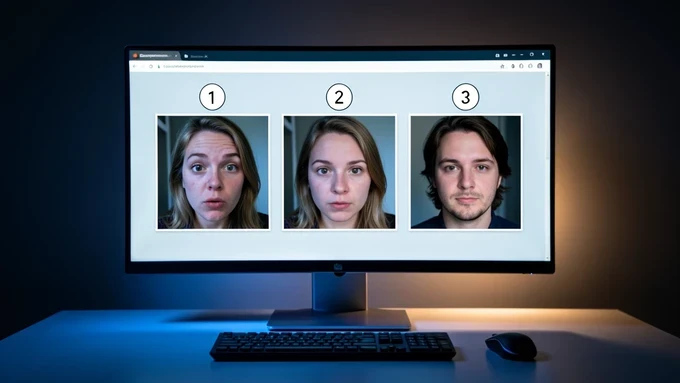
Honest limit first: ChatGPT cannot guarantee perfect facial precision. OpenAI's deepfake guidelines push the model to approximate rather than replicate faces, which is why even a flawless prompt can miss by a hair. For a casual edit that is fine. For a professional headshot where the face must be exactly yours, prompting alone will not get you there.
At that point, change tools. A precision-masking editor like YouCam AI Pro keeps the face completely untouched while you change hair or outfit, because it masks rather than regenerates. And if the recurring problem is plastic skin, the Nano-Banana Pro model is built for hyper-realistic skin texture, so the surface reads like real pores instead of a smooth mask. Pick the tool that matches the stakes.
anyone gotten the identity lock to actually hold past 2 edits? mine drifts by the third pass, every single time
ok this is the first thing that explained WHY it swaps the face, didn't realize it rebuilds the whole image from scratch
naming eye shape and jawline instead of just 'face' made a real difference for me. the abstract word face does basically nothing
on paper maybe. ran the exact outfit prompt from here and still got a glamour shot stranger lol
region select is the only thing that truly holds. also fyi it's not plus only anymore, openai dropped that months back
wait it's free now? i held off because of the 20 a month. if masking is free that changes everything for me
the article says the masking is a plus feature though, per the perfectcorp section. did something change recently or
reading on lunch, will test the ratio thing later. didn't know omitting aspect ratio forces a recrop
what does the 3:2 actually do? like why does stating the ratio stop the face from moving
it stops the reframe. if it crops it has to regenerate and the face rides along on that pass. fwiw stating 3:2 cut my drift noticeably
i keep everything local where i can but for this there's no offline path, you're handing your face to openai every single edit. that part bugs me more than the drift
this. the face swap step at the end feels like a workaround for a tool that should just not redraw the face
the recover section is wishful. once it's a stranger no stricter prompt brings it back, you re-upload the original and basically start over...
that's literally what the section says though, go back to source. editing the broken output just stacks error on error
tldr skipped most of it but the paste ready prompts at the top are gold, copied the outfit one straight in
skin texture line is underrated. mine kept going plastic and 'retain pores and freckles' actually pulled it back
for me the skin one is the hard limit they admit. naming texture helps but past a point it's the model, not your prompt
so if it's a model limit i'd have to pay for one of those other tools anyway. youcam pro isn't cheap last i checked
anyone compared youcam to just doing the face swap afterward, cost wise? on phone now, will dig later
honestly midjourney holds faces better than gpt-4o for this, has for a while
wait midjourney lets you edit an existing photo? thought it was generate only