
AI face swap, tested: where it convinces and where it falls apart
The short answer: yes, but only under the right conditions
Yes, with caveats. On a frontal, well-lit photo of a single person, modern AI face swap looks genuinely convincing in seconds, blending skin tone, lighting, and perspective far past anything you could hand-build in Photoshop. Push it outside those conditions and the realism falls off a cliff.
So the honest verdict is conditional. The technology is real and the good results are real, but they depend almost entirely on three inputs: image quality, a frontal or near-frontal angle, and lighting that matches between the source face and the target. Get those right and the output passes a casual glance. Get one wrong and an artifact gives it away.
Think of it less as a yes-or-no question and more as a sliding scale. The rest of this piece walks down that scale, tier by tier, from the scenario where swaps almost always work to the ones where they almost always break.
Where it works best: frontal, well-lit photos
A frontal portrait is the best case. Here the tools seamlessly integrate one person's face onto another body or image while holding realistic lighting, skin tone, and perspective, the behavior MagicShot describes as the core of a good swap. The result reads as one coherent photo rather than a clumsy cut-and-paste.
Speed is part of why it feels effortless. In hands-on testing reported by toosio, a simple image swap finished in 30 to 60 seconds. No timeline, no rendering queue you babysit. Upload, wait under a minute, done.
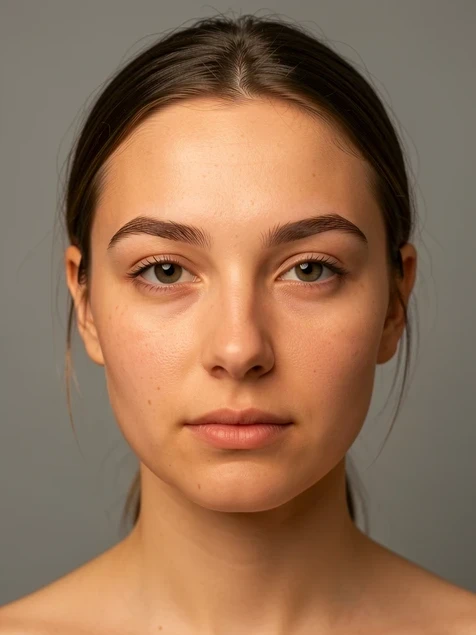
The other reason this tier wins: there is no skill barrier. As PiktID puts it, the automation lets anyone, from working designers to first-time users, swap faces in a few clicks. You are not learning masking or layer blending. You are picking two images.
Where it gets harder: group shots and video
Video is a different problem entirely. Instead of solving one frozen face, the system tracks facial movement frame by frame, and that tracking demands heavy compute that runs on the provider's servers rather than your laptop, as toosio's review of FaceSwap AI notes. Every frame is a small swap that has to stay consistent with the ones around it.
When the inputs are clean, the throughput is still impressive. Deepswap processed a 15-second clip in under a minute in fritz.ai's testing, and the tool supports up to 6 faces in a single clip plus videos as long as 30 minutes or 1 GB. That is real capacity for multi-person edits.
Not every tool chases that breadth. Higgsfield deliberately processes one high-fidelity swap at a time and does not handle multiple faces in a single operation. The trade is explicit: capacity versus per-face polish, which is the next thing worth separating out.
Multi-face support is a capacity number, not a quality guarantee. Six faces in a clip means the tool will attempt six, not that each one lands as cleanly as a single dedicated swap.
Where it breaks: angles, motion, and lighting mismatch
Turn the head and the illusion strains. Video face swap still struggles with extreme poses and non-frontal faces, aitude reports, because a profile or tilted angle hides the facial landmarks the model leans on to place and warp the new face. The swapped face can slip off the underlying head or sit there looking pasted on.
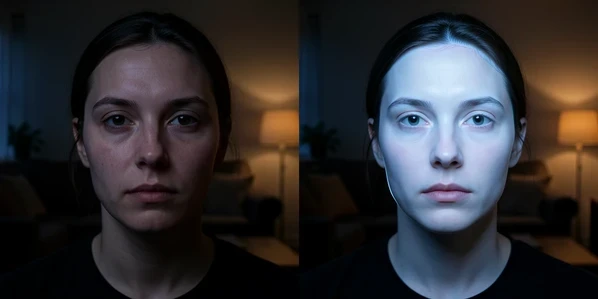
Lighting is the second failure mode. Perfect skin-tone and brightness consistency is still tricky, and a swapped face can come out too bright or too dark when the source and target were lit differently, because the model matches features more reliably than it relights them. A face that glows against a dim scene reads as fake instantly.
Then there is input quality. Deepswap delivers its best results only with high-quality inputs, and low-quality or fast-moving footage causes results to drop off quickly, per fritz.ai. Blur and motion starve the tracker of the sharp landmarks it needs, so a shaky phone clip degrades far worse than a tripod shot.
Community testers name the tells precisely. Across real workflows people describe a pasted-on look, visible hairline and edge artifacts, and partial swaps that only handle facial features while ignoring head shape and context. Those are the exact giveaways that make a result, in their words, still scream edited. Where do they cluster?
- Hairlines and edges, where the blend between new face and original head turns crunchy or smeared.
- Head-turns and profiles, the angles that hide landmarks and let the face drift.
- Partial face-only swaps that keep the original skull shape, so the proportions feel off even when the features look right.
- Fast or blurry footage, which strips the detail the tracker depends on frame to frame.
Do free tools work well enough?
Free tiers are good for testing realism, not for shipping volume. Higgsfield's free plan, for instance, allows 5 face swap generations per day, resetting roughly 24 hours after your first swap. That is enough to judge whether the output suits your use case before paying.
Speed on the free side is not fixed either. Higgsfield's generation time runs from about 30 seconds up to 2 minutes depending on the subscription, so the slower end is part of what you trade away without a paid plan. Add the usual watermarks and per-day caps, and the free experience is a sampler rather than a workhorse.
One nuance worth holding onto: speed and fidelity pull against each other. The faster a free generation runs, or the longer and cheaper a video job is processed, the more per-frame quality tends to give. Convenience has a cost, and it usually shows up in the details.
How to make it actually work: getting the best result
Every failure above points back to an input you control. Feed the model what it handles well and the realism you saw in the demos becomes reachable on your own photos. The rules are short because they map directly onto the three things that break swaps.
- Start with high-quality, sharply focused, frontal source and target images so the landmark detection has clean features to lock onto.
- For video, skip fast motion and extreme angles. A steady, near-frontal clip swaps far more cleanly than an action shot.
- Match lighting and expression between the two faces, since the model copies features better than it relights or re-emotes them, and a mismatch is what reads as fake.
And keep expectations honest about demos. The polished examples you saw used ideal frontal, evenly lit inputs. Hand the same tool a dim group photo or a head-turn and you get the worse result the marketing never shows. The technology works. Your inputs decide how much.
tried this last night and honestly the frontal photo thing is no joke, my first swap looked perfect first try
yeah until you feed it anything that isnt a passport photo and it falls apart
+1, every demo is a perfect studio shot
wait but mine was just a phone selfie and it worked fine??
because your selfie was frontal and lit evenly. thats literally the whole game. the second you turn the head the landmarks vanish and it slides off
the article says profile angles hide the landmarks the model leans on, thats the part people skip reading
skimmed it ngl, where does it say how many faces deepswap does
6 faces per clip, up to 30 min or 1gb. its in the group shots section
ok ty
anyone know where the video compute actually runs? article says provider servers which means my footage leaves my machine
yeah its all server side for video, the tracking is too heavy for a laptop. dealbreaker for me tbh
meh
ok so what step am i doing wrong on lighting, my swap comes out way too bright every time
thats the lighting mismatch thing, the model matches features not brightness