
Face swap a whole stack of photos for free without hitting a paywall
Three tools let you swap as many photos as you want for free: Facy, Live3D, and Supawork. None charges credits, none stamps a watermark, and Facy needs no sign-up at all. The catch hides elsewhere. Most tools that say "free" on the landing page quietly ration you with a daily quota, a credit balance, or a per-session image cap, and a big batch dies the moment you cross it. This guide sorts the genuinely unlimited tools from the capped ones, then shows you a session workflow for clearing every photo you have in one sitting.
What 'unlimited free face swap' really means
"Free" on a landing page almost never means unlimited. It means free to start. The word does the marketing work, and the limit shows up after your first swap or after your tenth. Four pricing patterns hide behind it, and learning to read them before you upload saves you from a stalled batch.
- Genuinely unlimited: swap as many photos as you like, forever, with no counter ticking down.
- Daily quota: a fixed number of free swaps per day, after which you wait for a reset.
- Credit balance: you start with a handful of credits, and each swap subtracts one until you buy more.
- Per-session cap: unlimited overall, but only a set number of images per batch before you reload.
Find the free-tier statement before you commit. It usually sits near the upload button or in a short FAQ line. Look for three words: "credits," "daily," and "per day." Any of them means a counter. If the page only promises "free" and stays vague about quantity, treat it as capped until a test swap proves otherwise.
Tools that are genuinely unlimited and free
Four tools clear the bar, with one important asterisk. Facy offers unlimited image face swaps with no sign-up, no hidden costs, and no watermark, and it supports several output formats. It is rated 4.6 out of 5 across 3,537 ratings, which is a reasonable signal for a free tool. Live3D is 100% free with unlimited use and works best with up to five faces per group photo. Magic Hour gives you free swaps with no sign-up and no watermark.
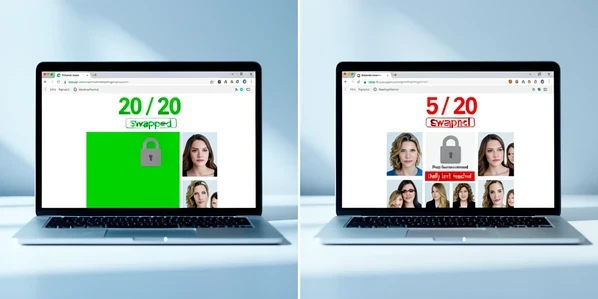
Supawork is the asterisk. It is completely free with unlimited swaps and no sign-up, and it returns an HD result in about ten seconds. But each session is capped at ten images. That is not a daily limit and not a credit wall, so the cap resets when you start a fresh session. For a stack of thirty photos, you simply run three rounds. Competitor pages tend to bury that ten-image detail, and it is exactly what breaks a large batch if you do not plan for it.
Tools that look unlimited but cap you
These four advertise free use and deliver it, right up to a wall. Higgsfield allows only five free generations per day, and the limit typically resets twenty-four hours after your first swap, not at midnight. Start a twenty-photo batch on it and you stall at photo five, then wait a full day for the next five. Wefaceswap caps free photo swaps at fifteen images daily. EaseMate is powered by GPT-4o but grants just thirty free credits, and only after you log in. PhotoCat is the sneakiest: it advertises 100% free face swaps, yet each swap quietly costs one credit.
The lesson is not that these tools are bad. It is that their free tier is a sampler, not a workhorse. Use them for a single swap or a quick test. For a batch, they will block you partway and push an upgrade.
Step-by-step: swap a single photo on a free unlimited tool
The core swap is three moves, and on a genuinely unlimited tool you repeat it as many times as you want. Here it is on Facy, which needs no account.
- Upload your source face image: the photo containing the face you want to use.
- Upload the target image, the photo where that face will land.
- Accept the terms, click 'Swap Faces', and the AI produces a natural-looking result in seconds.
- Preview it, then download. Because Facy is unlimited with no watermark, you can go straight into the next pair.
Supawork follows the same rhythm with one twist: upload the photo (JPG, PNG, WEBP, or HEIC up to 20MB), let the tool auto-detect the face or pick it yourself, then generate and download the HD result in roughly ten seconds. Just remember its ten-per-session ceiling once you scale up.
Batch workflow: get through a stack of photos in one session
This is where "unlimited" earns its keep. The trick is preparation, not speed. Get everything ready before you touch the tool, then run the swaps in an uninterrupted rhythm.
- Gather every source and target photo into one folder first, so each upload is a quick grab rather than a hunt.
- Pick a genuinely unlimited tool. A daily or per-session cap will stall you mid-batch and waste the momentum.
- Reuse one prepared source face across many targets. Consistent input keeps the whole set looking like it belongs together.
- On a per-session-capped tool like Supawork, split the work into groups of ten and start a fresh session for each.
A worked example makes the cap concrete. Say you have thirty photos and you want Supawork's HD output. You run three sessions of ten: upload ten, generate, download, reload, repeat. Thirty photos, no payment, maybe five minutes of clicking. Run the same thirty on Higgsfield and you would clear five today, five tomorrow, and finish on day six. Same word "free," wildly different reality.
Treat every 'unlimited' claim as provisional. Do one quick test swap and confirm no watermark and no credit prompt appears before you commit a stack of photos to that tool.
Privacy: what happens to the photos you upload
Uploading dozens of personal photos to a free site is a real exposure, and the deletion window is the number that matters. Facy automatically deletes uploaded images after 48 hours. Wefaceswap goes further, auto-deleting files within one hour and storing no user data on its servers after processing. Live3D states it processes all photos privately and never stores them at all. If a big personal batch makes you uneasy, favor a tool with a stated deletion window over one that stays silent.
The broader risk is worth naming plainly. Free face swap apps can expose you to identity theft, personal information leaks, and fraud when you hand over images of real faces. The deletion windows above reduce that exposure, but they do not erase it. A no-storage policy from a tool you trust is the safer choice for a stack of family or personal photos.
Troubleshooting and consent before you batch-swap
Most bad swaps trace back to the input, and the cost compounds across a batch. Three failure modes account for nearly all of them.
- An obscured face: when something covers part of the face, the AI cannot detect and blend the features cleanly.
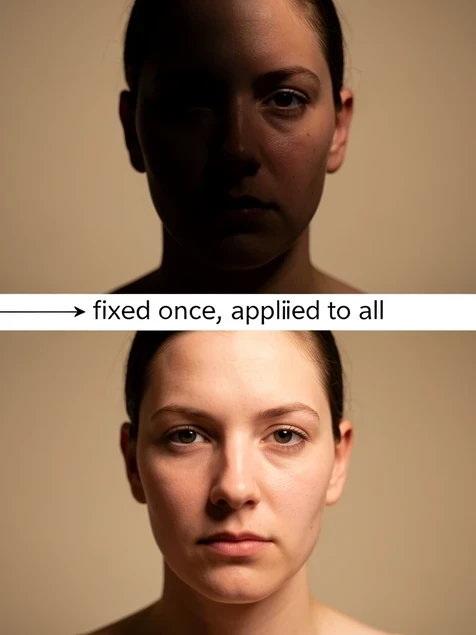
- Mismatched lighting between source and target, which produces an unnatural, washed-looking blend.
- A wrong or extreme angle, where the source face does not align with the head it is being placed onto.
Fix the input once and the whole batch benefits. Choose a clear, front-facing source face with even lighting and an angle close to your targets, and every photo you push through inherits that quality. Repair the source before you batch, not after, or you will redo dozens of swaps.
One rule overrides the technique. Always get consent when you use someone else's likeness. Creating or sharing non-consensual intimate imagery is prohibited and illegal, full stop. Before you batch-swap photos of another person, confirm they agreed to it. The tool makes the swap easy; the responsibility for whose face you use stays with you.