
FaceFusion node vs ReActor inside ComfyUI: which face swap actually wins
For most ComfyUI users, ReActor by Gourieff remains the safer default. It installs through ComfyUI Manager, supports video, batch jobs, and multi-person indexing, and it ships with a stack of face restorers that cover most production needs. The FaceFusion ComfyUI node is a younger wrapper around the standalone FaceFusion app and can pull ahead on still-image realism if you tune its enhancer pipeline, but documentation and community examples are thinner. If you run an RTX 4000 or 5000 series GPU, watch the GFPGAN CPU-fallback bug in ReActor before you commit to a restore-heavy workflow.
FaceFusion vs ReActor: the 30-second verdict
ReActor is the dominant, battle-tested choice for ComfyUI face swapping. The FaceFusion node is newer, less documented as a ComfyUI integration, and lives downstream of a separately maintained desktop app. That heritage is the single fact that explains every other difference between the two.
Where each one wins. ReActor takes the prize for community support, model variety, and workflow integration. FaceFusion can pull ahead on still-image quality when its enhancer pipeline is tuned, especially for portrait work that benefits from aggressive restoration.
| Use case | Pick |
|---|---|
| Video face swap, batch jobs | ReActor |
| Multi-person scenes, gendered targeting | ReActor |
| Highest still-image quality with tuning | FaceFusion node |
| Fast install through ComfyUI Manager | ReActor |
| Active issue tracker, frequent updates | ReActor |
| RTX 4000/5000 user with restore-heavy workflow | Test ReActor first, then decide |
What each tool actually is inside ComfyUI
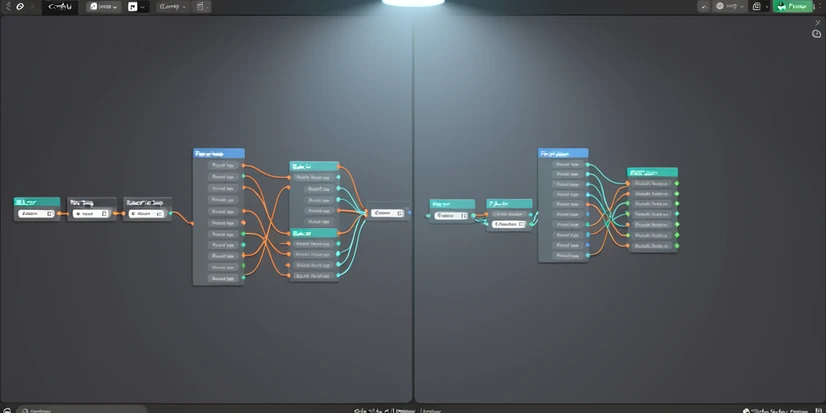
ReActor (ComfyUI-ReActor by Gourieff) is a native ComfyUI custom node. You install it through ComfyUI Manager, drop the swap model into the right folder, and wire up the swap node like any other. The repository carries roughly 1.78k GitHub stars per runcomfy.com at the time of writing, with frequent releases and an active issue tracker.
FaceFusion is, first and foremost, a standalone Python application. The ComfyUI integration is a node wrapper that calls the same underlying inference logic. That architectural fact drives everything downstream. Installation feels heavier, model paths differ from a vanilla ComfyUI custom node, and the wrapper version trails the standalone app's release cadence.
Both tools share more plumbing than the surface suggests. Each one relies on InsightFace's buffalo_l detector for finding faces in the input frame, and each one consumes ONNX-format swap models. The pipes underneath are similar. The ergonomics on top are not.
Installation complexity: which one gets running faster
ReActor's happy path is short. Most users finish in under ten minutes.
- Open ComfyUI Manager, search for ComfyUI-ReActor, click install.
- Restart ComfyUI so the manager picks up the new custom node.
- Place inswapper_128.onnx in models/insightface/. CodeFormer, GFPGAN, and GPEN files go in models/facerestore_models/.
- Restart once more so the restorer dropdowns populate.
The Windows pothole shows up before step three finishes. Insightface ships with a wheel that compiles native C++ extensions on install. If Visual Studio C++ Build Tools are missing, the install fails with a long cl.exe error that scares off most non-developer users. Two fixes work. Install Microsoft's redistributable Build Tools (around 6 GB), or install a prebuilt Insightface wheel matched to your Python version. The ReActor README documents both routes directly.
FaceFusion node setup is heavier. You typically install the standalone FaceFusion environment first (Python, dependencies, model files), then add the ComfyUI wrapper that reuses those models. Exact paths depend on the wrapper repository you pick. Verify version compatibility against your ComfyUI release before downloading anything. Mismatched ONNX runtime versions are the most common failure mode and the symptoms look identical to a missing model file.
Swap model ecosystem: inswapper, ReSwapper, HyperSwap, and the FaceFusion enhancer pipeline
ReActor's default is inswapper_128.onnx, the same 128x128 model that ships with InsightFace's research stack. It is fast, predictable, and the assumption behind every introductory tutorial.
Beyond the default, ReActor pulls in two newer families. ReSwapper is a community swap model with sharper output on close-cropped portraits. HyperSwap arrived in v0.6.2 BETA1 with three variants: hyperswap_1a_256.onnx, hyperswap_1b_256.onnx, and hyperswap_1c_256.onnx. They run at 256 pixels instead of 128, so texture detail jumps significantly on faces that occupy more than a quarter of the frame.
One catch on HyperSwap. The Gourieff README states plainly that HyperSwap changes the area around the lips, which makes it unusable in some video workflows where the talking mouth must stay anchored to the original audio. For stills, the tradeoff is fine. For lip-synced video, plan for retakes.
Two ReActor nodes worth knowing on day one:
- ReActorSetWeight blends source and target identity, stepping from 0% to 100% in 12.5% increments. Useful for soft swaps that preserve some of the target's bone structure.
- ReActorBuildFaceModel averages multiple source photos into a single face embedding using MEAN, MEDIAN, or MODE compute methods. The right move when one reference photo is poorly lit or off-angle and the others are not.
FaceFusion's swap model lineup is less mappable from outside the standalone app. Treat the model selector inside the node as the source of truth at install time, since the wrapper version determines which checkpoints are bundled. The architectural difference matters more than the exact list. FaceFusion leans on a multi-stage enhancer pipeline (face detection, alignment, swap, restoration, blend) that you tune as a unit, rather than a single swap model plus a separate restorer the way ReActor does.
Face restoration pipeline and the GFPGAN CPU-fallback bug
ReActor restoration options out of the box: CodeFormer, GFPGANv1.3, GFPGANv1.4, and GPEN at 1024 or 2048. Each one tackles the same problem differently. CodeFormer prioritizes identity stability through a learned codebook, so it is conservative on faces with unusual lighting. GFPGAN is more aggressive, smoothing skin and recovering hair edges, sometimes at the cost of pore texture. GPEN, especially the 2048 variant, preserves more skin detail when input resolution allows.
ReActorFaceBoost adds another step. It crops, restores, and upscales the face before pasting back into the target. Visually, it is the difference between a swap that looks pasted in and one that looks composited. The cost is extra processing time and exposure to the bug below.
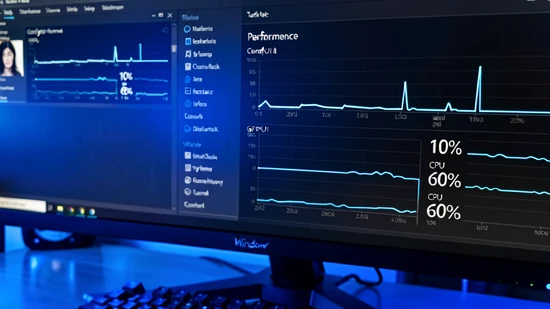
Now the bug that no competitor page resolves. On RTX 5090 hardware (and reportedly RTX 4000 and 5000 series in general) running ReActor v0.6.2-b1, GFPGANv1.4 face restore drops to CPU. Issue #205 on the Gourieff repository documents the symptom precisely. During the swap step, GPU sits at 20 to 25% utilization with CPU at 10 to 11%. The moment GFPGAN kicks in, GPU collapses to around 10% and CPU climbs to 50 to 60%. That is the signature of a model that failed to bind to CUDA and quietly fell back to CPU execution.
Why it happens, mechanically. The ONNX runtime resolves execution providers in priority order: CUDAExecutionProvider, then CPUExecutionProvider. If the installed onnxruntime-gpu package does not match the system's CUDA toolkit and Torch CUDA build, the GPU provider raises during session creation and the runtime silently falls back. Newer GPUs with newer compute capabilities trip this often. A wheel built against CUDA 11.8 cannot bind to a CUDA 12.8 driver stack without the matching runtime build.
The fix order, from cheapest to most invasive:
- Confirm onnxruntime-gpu is installed and the CPU-only onnxruntime wheel is not. Run pip list and check that only the GPU package shows.
- Match versions deliberately. Torch 2.8.0+cu128 needs an onnxruntime-gpu build that supports CUDA 12.x. The mismatched cu118, cu121, and cu128 trio is the usual culprit.
- Reinstall in the right order: uninstall both runtime packages, then install onnxruntime-gpu at a version compatible with your Torch build.
- After restart, monitor GPU utilization during the restore step. If GPU stays above 40%, the binding is healthy.
FaceFusion's enhancer stack is configured at the node level rather than picked from a dropdown of separate restorers. Document the exact model your wrapper version exposes when you install it. The wrapper repository's README is the only reliable source, since enhancer choices change between releases.
Speed and performance: real benchmark numbers
From the ReActor issue tracker, on a 5-second video clip:
| Configuration | Wall time | GPU activity | CPU activity |
|---|---|---|---|
| No face restore | 74 s | 20–25% | 10–11% |
| GFPGANv1.4 | 244 s | ~10% | 50–60% |
| GFPGANv1.4 + FaceBoost | 377 s | ~10% | 50–60% |
Test rig for those numbers: Python 3.13.9, ComfyUI 0.3.75, Torch 2.8.0+cu128, ReActor v0.6.2-b1. The GFPGAN figures are inflated by the CPU-fallback bug above. On a healthy GPU binding, expect the restore step to add 30 to 60% wall time, not nearly 230%.
Two ReActor speed wins worth claiming:
- The MaskHelper node ran 1.5x to 2x faster after the v0.6.1 update.
- The image analyzer module saw a 10x speedup in v0.5.0 BETA2, which matters most when batch processing video frames.
Batch processing guidance from Civitai's face swap article: keep individual jobs to roughly 200 images per folder on a modest GPU, or 500 to 1000 on a high-VRAM machine. Larger batches push the ONNX session and Python's memory manager past safe limits, and ComfyUI typically crashes without a clean error message.
FaceFusion node speed numbers are not safe to publish without a side-by-side test on the same clip and the same hardware. The standalone app is competitive on still-image throughput. The ComfyUI wrapper inherits whatever overhead the node adds for tensor passing, and that delta is what matters for honest comparison.
Multi-person and video: which handles complex scenes
ReActor's selection model is mature. The face index parameter targets a specific face in a multi-person frame. Gender detection can restrict swaps to faces of one detected gender, which makes group photos where only one person should change considerably easier to handle.
ReActorMaskHelper adds a softer boundary. It generates a mask around the swapped face so the edge blends with surrounding skin, hair, and background. Without it, hard pasted edges show up most on dark backgrounds and high-contrast lighting setups.
Video. ReActor accepts an image batch as input and processes each frame through the same swap-and-restore pipeline. There is no temporal consistency loss applied per frame, which means you may see micro-jitter on lip and eye motion. Two mitigations exist in the community: lower the face boost intensity, or post-process with a film grain pass to mask the flicker.
FaceFusion node multi-person and video capabilities track its standalone counterpart. The standalone app supports video natively. The ComfyUI wrapper exposes a subset that varies by version. Verify face indexing, gender filtering, and video frame handling against the wrapper's README before designing a workflow around it.
Output quality: what side-by-side really shows
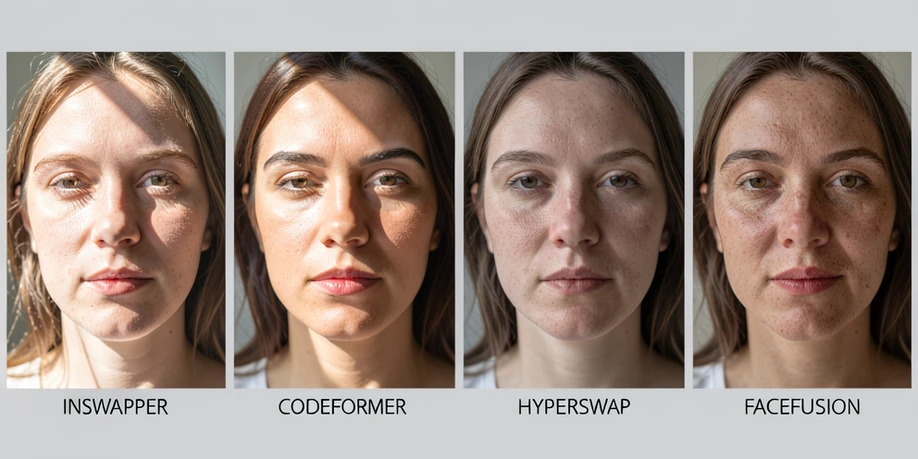
Inswapper at 128x128 is the baseline. With no restorer, results read as soft on any face larger than about 256 pixels in the target frame, since the model upsamples internally before paste. Drop CodeFormer in line and identity stability holds up well. GFPGAN smooths more aggressively. GPEN 2048 wins on close portraits where pore-level texture matters.
HyperSwap at 256 lifts texture noticeably on stills. It is the right pick for portrait and editorial work. For talking-head video, the lip-area distortion mentioned in the ReActor README appears as a soft halo around the mouth that is hard to remove in post.
Where IPAdapter fits. If your job is character consistency across many generated images rather than literal face replacement on an existing photo, IPAdapter is the better tool. It conditions the diffusion process on a reference identity instead of pasting one face over another, and it handles hair noticeably better than ReActor, where hairlines often clip awkwardly. Mention only, since this article focuses on direct face swap nodes.
A practical recommendation. When evaluating FaceFusion node vs ReActor for your own pipeline, run the same source face into the same target on both: ReActor with inswapper, ReActor with CodeFormer, ReActor with HyperSwap, and the FaceFusion node with its default enhancer pipeline. Save outputs at the same resolution. The differences are obvious within four images.
Responsible use and policy
ReActor ships a written consent disclaimer. The exact line from the repository README:
By using this Node you accept and assume responsibility.
ReActor also includes an NSFW detector intended to block 18+ content and keep the project compliant with GitHub's rules. The detector is not perfect, but it is on by default, and removing it is documented as a license-violating modification.
FaceFusion's policy stance must be verified against its current repository at the time you install. The standalone project has shifted policy across versions. If you are deploying either tool in a production context (client work, advertising creative, anything with public reach), confirm the current consent and content policies and keep an audit trail of source-image releases.
NSFW workflows are out of scope here, both ethically and as covered material. ReActor's detector flags them by design.
Decision framework: pick by use case, not by reputation
Run through these in order. The first match wins.
- You need video face swap, batch jobs over 100 frames, or multi-person targeting. Use ReActor.
- You want fast setup through ComfyUI Manager and an active community of tutorials and issue threads. Use ReActor.
- You prioritize maximum still-image quality on portraits and you are willing to manage a more complex install. Try the FaceFusion node first; fall back to ReActor with HyperSwap on stills if the wrapper feels unstable.
- You need character consistency across many generated images rather than face replacement on an existing photo. Use IPAdapter or InstantID instead, since neither face swap node solves that problem well.
- You are on RTX 4000 or 5000 series hardware and your workflow depends on GFPGAN restore. Test the CPU-fallback bug on a 5-second clip before committing. If it triggers, fix the onnxruntime-gpu binding before choosing your tool.
Two practical notes to close on. Both tools are free and open source, so the cost is your time, not a license fee. And keep both installed on the same ComfyUI instance if disk space allows. They use different model folders and do not conflict, and switching between them on a per-project basis is the cheapest way to find which one fits your specific subject matter.
ReActor still wins by default and anyone telling you otherwise probably ran FaceFusion once on a still and called it a day.
yeah but on portraits hyperswap 256 actually edges it, swap the same source on both and it's not even close on pore detail
free tools, free time, what's the catch lol
the catch is the onnxruntime hell. spent 4 evenings last month trying to get gpu binding right on a 4070 and gave up twice