
Ten face swap image generators, tested for how cleanly they blend
Want the most realistic face swap on a still photo? DeepSwap takes the top slot for raw blending fidelity, claiming 90%+ similarity with clean 4K output, while Magic Hour is the strongest free pick because it asks for no watermark and no account. This list ranks ten image face swap generators by how convincingly they fuse a source face onto a target photo: facial landmark accuracy, skin tone matching, expression preservation, and edge blending. Free-tier reality, data retention, and multi-face support break ties. Video temporal consistency sits outside this scope.
How we ranked these tools: realism and blending quality explained
Every tool here was judged first on one thing: how well it blends a swapped face into a still image. Four signals drive the order. Facial landmark recognition decides whether eyes, nose, and jawline land in the right place. Skin tone matching keeps the new face from looking pasted on. Expression preservation determines whether the result keeps the target photo's mood. And edge blending controls the seam where the new face meets hairline and neck.
- Free-tier reality, meaning whether you can actually test a tool before paying or hitting an instant wall.
- Data privacy policy, weighed heavily for anyone uploading photos of real people.
- Multi-face capability matters for group shots, so single-face tools drop a notch.
- Commercial licensing: can you sell the output, or is that locked behind a plan?
Two boundaries are worth stating plainly. Video temporal consistency, the flicker you see when a face jumps between frames, is not part of this comparison. This list covers image output only. And every placement assumes a fair input: front-facing, well-lit source and target photos shot at similar angles. That condition produces the best result on all ten tools, so testing on anything harder only muddies the read.
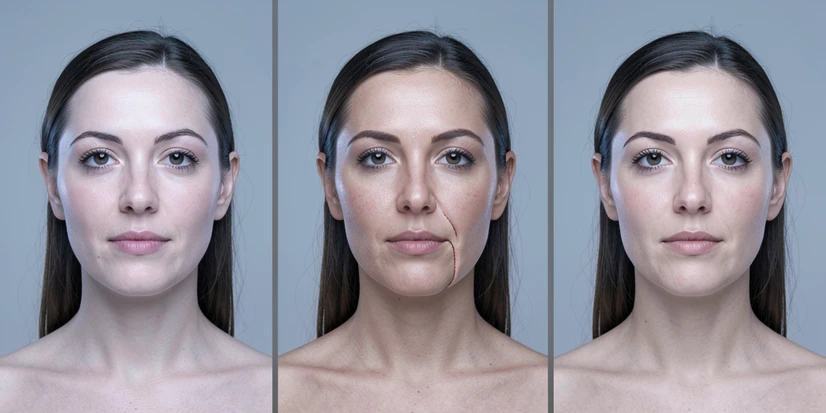
Quick comparison table: all tools at a glance
Scan the matrix first if you are short on time, then drop into the entries that fit your use case.
| Tool | Best for | Free tier limit | Watermark on free | Data deleted after | Commercial use | Multi-face limit |
|---|---|---|---|---|---|---|
| DeepSwap | Overall realism | No free tier | Not applicable | Content kept 7 days | Yes, on paid credits | Up to 6 faces |
| Magic Hour | Free photo swaps | Photos free | No watermark | Not disclosed | Paid plan required | Not specified |
| Facy.ai | Unlimited free swaps | Unlimited images | No watermark | 48 hours | Paid tier | Not specified |
| Higgsfield AI | Cross-style swaps | 5 swaps per day | Free output | Not disclosed | Paid Pro plan | 1 face per operation |
| Picsi.ai | Privacy architecture | Limited, watermarked | Yes on free | Source face discarded at once | Paid plan | Up to 4 faces |
| EaseMate AI | GPT-4o free swaps | 30 credits | No watermark | Deleted after processing | Not disclosed | Not specified |
| Pixlr AI Face Swap | Template scenarios | Free online | Not disclosed | Not disclosed | Not disclosed | Not specified |
| ImagineArt | Celebrity swaps | Free tier | Not disclosed | Not disclosed | Paid for unlimited | Not specified |
| FaceFusion | Local private swaps | Fully free | None | Stays on your device | OpenRAIL license | Not specified |
| Reface | Mobile memes and GIFs | Free with ads | Yes on free | Vague policy | Pro subscription | Not specified |
DeepSwap: best overall realism with multi-face and 4K output
DeepSwap earns the top slot because it pushes blending fidelity further than anything else here. The company claims 90%+ face swap similarity, stated as 20% higher than open-source models. On a clean front-facing portrait that shows: skin tone carries across the seam, and the jawline reads as one face rather than two stitched halves.
It also handles complexity most tools refuse. Up to six faces can be swapped at once inside a single image, and output reaches 4K HD, enough for print or large-format use. Processing is quick too: a 1-minute video clears in roughly 10 seconds.
- No free tier exists, so you cannot trial the tool without paying first.
- Credit pricing escalates fast. Twenty credits cost $19.99, and video burns 1 credit per 15 seconds of footage, so a 2-minute clip can eat 8 credits (image pricing is worth confirming before you commit).
- Created content stays on DeepSwap's servers for 7 days; the original uploaded face photo is deleted once new content has been generated.
One detail privacy-conscious readers should weigh: DeepSwap states that facial feature data is not biometric data. That framing affects which legal protections may apply to your upload, so flag it before swapping a real person's face. The tool is also praised for temporal consistency across video frames, though still-image realism is what places it first here. Pricing and retention details are verified at publication time from DeepSwap and an independent autoppt.com ethics analysis.
Magic Hour: free image swaps with no watermark and no sign-up
Magic Hour is the rare tool that gives away its best image feature. Free photo face swaps arrive with no watermark and no account, so you can judge real output quality before deciding anything. Among the ten tools reviewed, that combination is unique.
Output runs to 4K on the free photo tier. Magic Hour also claims its automatic alignment and blending cuts manual cleanup time by 70 to 90%, a self-reported figure from its product page. In practice that means fewer trips into an editor to repair a hairline or a mismatched ear.
Reception backs the polish: 4.9/5 on Product Hunt, with 500K+ creators in the last 30 days and over 100M AI images generated. The catch is narrow. Commercial use requires a paid plan, and video plus API access are paid as well. For a marketer producing a headshot at zero cost, a free no-signup tier that still outputs 4K is hard to argue with.
Facy.ai: unlimited free swaps with a 48-hour deletion clock
Facy.ai answers a specific reader: someone who wants to swap face after face without a meter running and without handing over an email. Image face swaps are 100% free and unlimited, with no sign-up and no watermark. Uploaded images are then deleted automatically after 48 hours, a policy stated plainly on the tool's page. It is rated 4.6/5 from 3,537 ratings, and accepts JPG, JPEG, PNG, WEBP, BMP, and GIF input. Two things to know before you start. Results need a front-facing, well-lit, unobstructed face to look right, and video face swap is a separate product, not part of this free image tool. At upload, Facy.ai shows a consent checkbox: you must confirm you hold the legal right and explicit permission from everyone shown in the photo.
Higgsfield AI: cross-style swaps between photos, paintings, and 3D models
Higgsfield AI does something no other tool on this list attempts. It swaps faces across media types, so a face lifted from a photograph can land on a painted portrait or a rendered 3D model. For anyone making stylized art or concept work, that crosses a line competitors never reach.
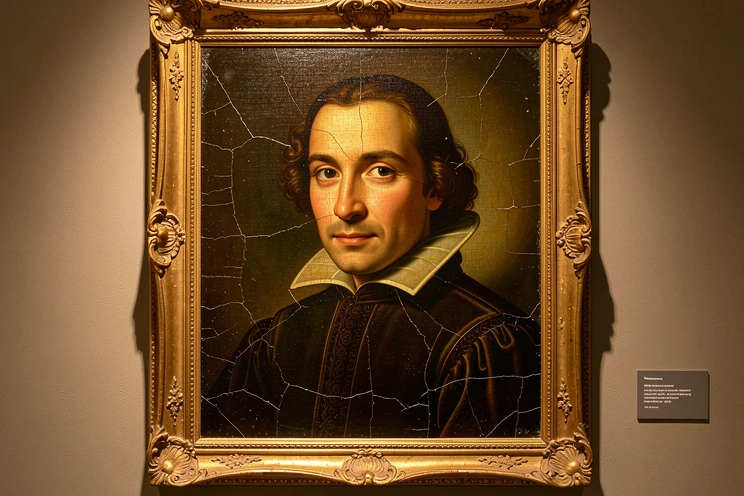
- The free plan allows 5 face swap generations per day, resetting 24 hours after your first swap.
- Generation takes 30 seconds to 2 minutes, depending on subscription type and the current queue.
- Commercial use is gated behind a paid Pro plan.
The hard limit is structural: one face per operation, with no multi-face support, so group photos are off the table. Easy export to animation rounds out the feature set as a secondary draw, but the cross-style swap is the real reason to pick it.
Picsi.ai: the privacy-first architecture where your image barely uploads
Picsi.ai is built for the reader most worried about where their face ends up. Its video processing runs on-device, so the target video never leaves your computer. The source face is immediately and permanently discarded from servers once processing finishes. No other tool here keeps so little.
- Multi-face swaps are supported up to 4 faces.
- A Photoshop plugin is available, unique among the tools reviewed and genuinely useful inside a professional retouching workflow.
- A proactive likeness-blocking list covers public figures.
The trade-offs are real. The free tier is limited and watermarked, and video swap requires the Ultra Plan at $34.99/month, the steepest plan in this set. This entry ranks on image swap realism; the on-device privacy architecture is the tiebreaker that lifts it, not the headline.
EaseMate AI: a GPT-4o swap with a text-to-image mode
EaseMate AI is the only tool here running on GPT-4o, and that shows up in how it works. Beyond standard image-to-image swaps, it offers a text-to-image mode: you describe a scene, and the tool generates a target image with your source face already placed. That prompt-driven workflow skips the step of hunting for a target photo at all.
It costs nothing. No fees, no subscription, no watermark, and files are deleted from the server after processing. Logging in grants 30 free credits to start.
Constraints are technical rather than commercial: a 10 MB file size cap per image, PNG, JPG, and WEBP accepted as input, and output always in PNG. For casual creators those limits rarely bite.
Pixlr AI Face Swap: template-driven creative scenarios
Pixlr AI Face Swap suits a different goal: dropping a face into a ready-made scene instead of swapping between two of your own photos. Its template library spans Adventure, Gym Buff, Sports, Fantasy, Beach Party, and Super Heroes, and the same engine doubles as a professional headshot creator. It is free to use online and outputs PNG. One caveat for privacy-minded users: the face swap page lists no explicit data retention or privacy policy, so what happens to your upload is unclear. A 40% off promotion was advertised during research, so check current pricing before assuming any paid feature still costs what a roundup says.
ImagineArt: one-click celebrity face swaps in the browser
ImagineArt leans into the celebrity face swap use case, with one-click generation and no installation, since everything runs in the browser. A free tier covers casual experimentation, while paid plans unlock unlimited generations, and it exports both image and GIF. The failure condition to watch is resolution: quality turns variable on low-resolution inputs, so a small or grainy source face is exactly where this tool struggles.
FaceFusion: open-source, local, and zero-cost
FaceFusion is the only fully open-source option on this list, released under the OpenRAIL license and 100% free. Because it runs locally, nothing touches a cloud server, which is the strongest possible answer to the question of who can see your photos.
Feature coverage is broad: photo and video face swap, lip sync, and age transformation, with a real-time preview as you work.
The barrier is setup. FaceFusion needs local installation and a capable GPU, and processing can crawl during peak times on shared cloud instances. It fits privacy-sensitive users, researchers, and open-source enthusiasts who accept a higher technical bar in exchange for full control over their data.
Reface: the most-downloaded mobile app, with caveats
Reface ends the list on volume, not blending quality. It has 100M+ downloads, is loved in over 100 countries, and carries 1.79M Google Play reviews. Its content library is the widest here: GIFs and short clips, plus AI Singing, Rehair Salon, an AI baby generator, and AI headshots.
The free version runs with ads and watermarks. Two warnings matter more than the feature list. Privacy and consent policies are described as notably vague. And users report unexpected subscription charges, with $25 billed against an advertised $4.99/month. The clearest signal is the rating itself: despite the download count, Reface sits at 2.3 stars on Google Play. That gap is worth pausing on before you subscribe. Both the rating and the billing complaints come from its Google Play listing.
What makes a face swap look realistic? The blending factors explained
Marketing pages all claim realism. These four mechanics are how you judge it for yourself, beyond the headline numbers.
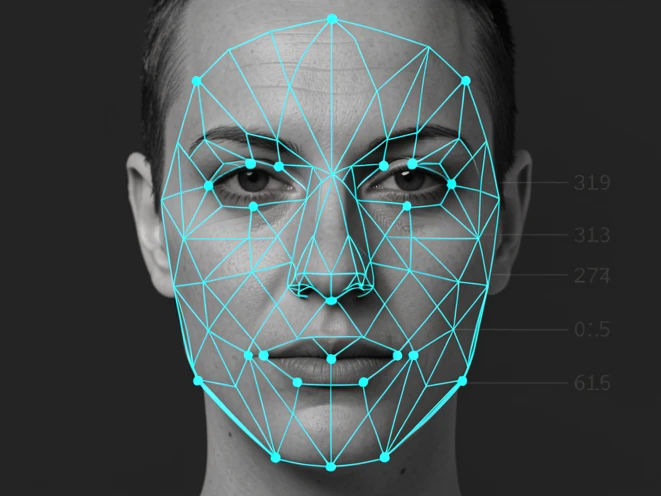
Facial landmark recognition is the foundation. The AI maps key points, eye corners, nose tip, mouth corners, and the jawline, then aligns the source face to those coordinates. Get the landmarks wrong and every later step inherits the error.
Skin tone matching and edge blending decide whether the result survives a 100% zoom. The swapped face has to share the target's color temperature, and the seam at the hairline and neck has to dissolve instead of showing a line. This is where a GAN-based face swap either earns its keep or gives itself away.
Expression preservation is the question most users miss: does the output keep the target photo's expression, or does it stamp the source face's expression over it? Good tools keep the target's. Lighting consistency is the partner check. A swapped face lit from the left inside a photo lit from the right reads as fake instantly, even when every landmark is perfect.
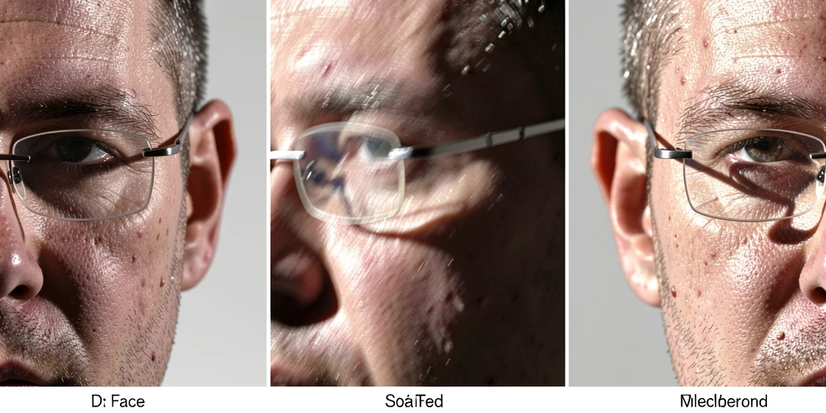
Certain inputs break all of this. Side profiles, glasses, heavy makeup, low-resolution source images, and extreme age differences between the two faces are the common failure conditions. Submit a source photo wearing glasses to three different tools and the split shows up at once: some redraw the frame cleanly, others leave smeared artifacts where the temple arm crosses the cheek. For context on how convincing the technology has become, human detection of high-quality video deepfakes runs as low as 24.5%.
Privacy and data retention: what happens to your face after you upload
Retention policy is the one comparison most listicles skip. Here is every tool's stated timeline in one place, so you do not have to read ten terms-of-service pages on your own.
| Tool | What happens to your upload |
|---|---|
| DeepSwap | Created content retained 7 days; original uploaded face deleted after new content is created; company states facial data is not biometric. |
| FaceApp | Uploaded photos deleted within 24 to 48 hours after the last edit; not used for AI training; immediate cloud removal can be requested. |
| Facy.ai | Images automatically deleted after 48 hours. |
| EaseMate AI | Files deleted from the server after processing. |
| WaveSpeed | Images not stored after processing, per the tool's self-reported claim. |
| Picsi.ai | Source face immediately and permanently discarded; target video never leaves your device. |
| Pica AI | Does not train on user uploads, but may train on generated outputs. |
| Pixlr | No explicit data retention details on the page; treat as unknown. |
One nuance deserves a second look. Pica AI says it does not train on your uploads, yet it may train on the outputs it generates from them. That is a meaningful gap, because the output still carries the swapped likeness. Whatever tool you pick, read the current privacy policy before uploading photos of real people. These policies change, and the version you agreed to last year may not be the one running today.
Legal and ethical rules for AI face swapping in 2025 and 2026
One rule sits above the rest: non-consensual use is harmful, unacceptable, and in many 2026 jurisdictions outright illegal. Always get explicit permission from anyone whose face you upload or swap. Facy.ai builds this into its interface with a consent checkbox confirming you hold the legal right and explicit permission from every depicted person, and Picsi.ai's terms explicitly ban altering the faces of political figures and public officials, with a clear process for reporting misuse.
If you cannot point to explicit, documented permission from every person in the image, do not run the swap. Consent is the line between a creative tool and a harm.
The legal pressure is not abstract. Deepfake fraud attempts surged 3,000% in 2023, and Gartner predicts that by 2026, 30% of enterprises will no longer trust standalone ID authentication. Lawmakers have answered. In the US, the NO FAKES Act targets unauthorized digital replicas, and the EU AI Act sets transparency obligations for synthetic media. Both are worth checking for current status, since provisions are still being phased in.
On the labeling side, the C2PA standard, from the Coalition for Content Provenance and Authenticity, attaches cryptographic provenance data to a file, recording that an image was AI-generated or edited. Adopting these content credentials is fast becoming the practical norm for anyone publishing swapped images responsibly.
How to get the best results from any AI face swap tool
Most disappointing swaps fail at the input stage, not inside the algorithm. A few habits lift output quality on every tool here.
- Start with a front-facing, well-lit source photo, free of glasses, hair across the face, or heavy filters.
- Match the source face angle to the target image as closely as you can, since mismatched angles are the single biggest cause of bad blends.
- Use the highest-resolution source you have. Low-resolution inputs degrade blending on all ten tools.
- Avoid pairing faces with extreme age differences when the choice is yours.
- In group photos, make sure each face is large enough in the frame for the AI to detect it, because small faces are routinely missed.
- Check the output at 100% zoom before downloading, since blending artifacts hide easily at thumbnail size.